
Rise of the Tomb Raider Switch 2: Performance & DLC Guide
Rise of the Tomb Raider Switch 2 brings 1080p, 30 FPS action and the 20 Year Celebration extras. Explore performance, controls, and DLC before you play.
Jump to
Is Rise of the Tomb Raider Available on Switch 2?
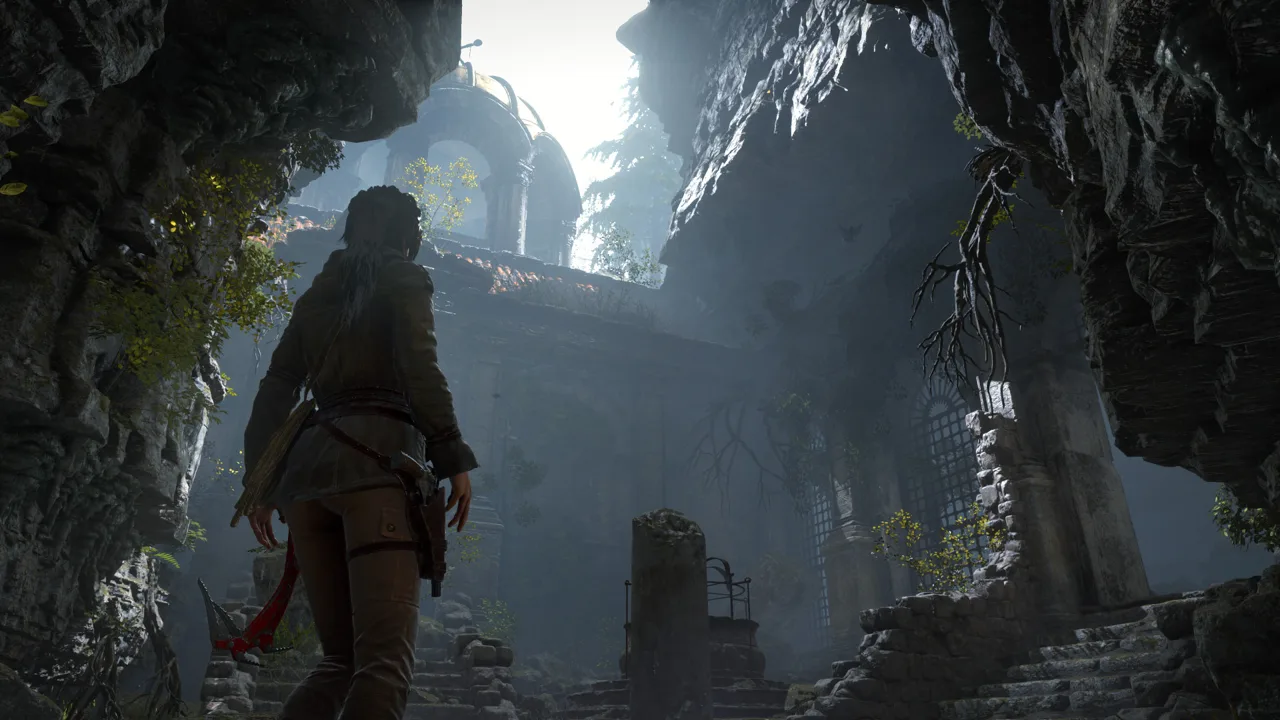
Rise of the Tomb Raider Switch 2 is available as Rise of the Tomb Raider: 20 Year Celebration, bringing Lara’s Siberian expedition and its additional content to Nintendo’s handheld. The package combines cinematic action with optional puzzle tombs, resource gathering, and densely packed exploration hubs. The main buying considerations are its 30 FPS presentation and shooting controls, especially if you prefer aiming with motion controls.
This adventure follows Lara’s pursuit of the Divine Source, an artifact associated with eternal life. Trinity is hunting it, too, turning the search into a race through hostile wilderness and ancient ruins.
You can buy Rise of the Tomb Raider: 20 Year Celebration for Nintendo Switch 2.
Performance in Docked and Handheld Modes
The Switch 2 version runs at 1080p and 30 FPS in both docked and handheld modes, with stable performance extending to busier scenes. Playing on a television does not raise the frame rate to 60 FPS.
 Image: Steam / Crystal Dynamics
The visual detail is a major part of the appeal. Tomb interiors feature crumbling surfaces, cobwebs, and atmospheric lighting, while Lara’s glowstick illuminates the spaces around her. Detailed character animation and TressFX hair help preserve the presentation during climbing, exploration, and action sequences.
Choose between handheld and docked play around your preferred screen and controls. Both modes offer the same stated resolution and frame rate, so docking is primarily a choice about how you want to play.
Shooting Controls, Gyro Aiming, and Mouse Mode
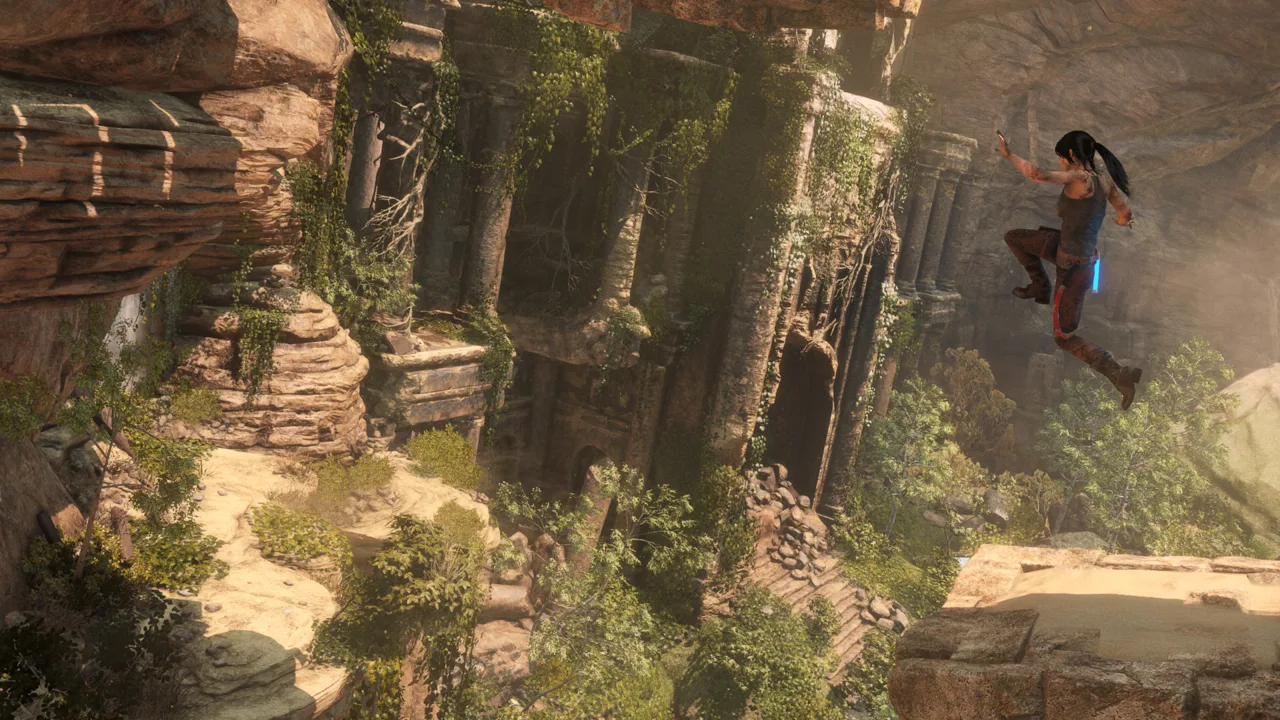 Image: Steam / Crystal Dynamics
Gyro aiming does not apply to shooting. If motion-assisted bow shots are central to how you play action games, that limitation matters more than the graphical details.
Traditional aiming can feel stiff with the Joy-Con. Mouse mode offers another control option, although holding a Joy-Con sideways while reaching its face buttons can feel awkward.
Try a Pro Controller in docked mode if the Joy-Con sticks feel too sensitive. Mouse mode is also worth trying before committing to it for combat; its different grip introduces its own adjustment.
Stealth gives you another way to approach encounters. Lara can distract enemies, use environmental cover, and perform takedowns before a firefight develops. Use those options to reduce the number of enemies you need to handle through direct shooting.
What the 20 Year Celebration Edition Includes
This edition bundles the main campaign with additional stories, survival challenges, and cosmetic extras. The substantial additions give you reasons to keep exploring beyond Lara’s central search for Kitezh.
 Image: Steam / Crystal Dynamics
- Blood Ties: Explore Croft Manor and uncover a mystery tied to Lara’s family.
- Baba Yaga: The Temple of the Witch: Investigate a supernatural threat in an additional story adventure.
- Lara’s Nightmare: Defend Croft Manor against a zombie invasion.
- Endurance mode: Take on a survival-focused challenge in extreme conditions.
- Cold Darkness Awakened: Battle infected enemies in a separate combat-focused scenario.
- Extreme Survivor difficulty: Tackle a tougher setting for the main campaign.
The package also includes extra outfits, weapons, Expedition Cards, five classic Lara skins for Expedition modes, and an outfit and weapon inspired by Tomb Raider III.
Start with Blood Ties if exploring Lara’s family history interests you. Choose Baba Yaga for another story-driven adventure, or turn to the survival modes when you want a different kind of challenge.
Exploration and Challenge Tombs
The world uses expansive hubs rather than one continuous open map. These areas contain relics, caches, treasure maps, animals, and side quests, giving you plenty to investigate between story missions. Some side quests send you back into earlier areas, creating opportunities to collect things you previously passed.
Optional challenge tombs are a particular draw. Each centers on an environmental puzzle, with a new skill or ability rewarding completion. The Ancient Cistern, for example, revolves around raising water around a central tower to reach the treasure above.
Enter optional tombs when you find them if environmental puzzles are your priority. Their focused layouts offer a change of pace from combat, and their rewards give exploration a practical purpose.
Gather resources while moving through the hubs, then spend them on gear upgrades at camp. Use return visits for side quests to search overlooked corners, and experiment with stealth routes before charging into enemy positions. Those habits make use of the game’s strongest systems: exploration, preparation, and finding your own path through a dangerous space.
Continue with
 Rise of the Tomb Raider System Requirements: PC GuideRise of the Tomb Raider system requirements for Windows, Mac, and Linux with minimum specs, recommended hardware, storage needs, and PC compatibility tips.
More in Platforms

Rise of the Tomb Raider Mods: Install and Fix Guide
Explore Rise of the Tomb Raider mods with Classic Pack installation steps, outfit replacements, build compatibility tips, and fixes for texture problems.
Rise of the Tomb Raider VR: Blood Ties and PC Setup
Explore Rise of the Tomb Raider VR in Blood Ties, learn which edition includes it, and set up the full campaign in stereoscopic 3D with a PC VR headset.
Continue exploring

Rise of the Tomb Raider Endurance Mode: Survival Guide
Master Rise of the Tomb Raider endurance mode with tips for food, warmth, skills, crypt traps, co-op revives, and extraction. Plan a run you can finish.
Rise of the Tomb Raider Beginner Guide: 12 Key Tips
Use this Rise of the Tomb Raider beginner guide to pick early skills, master stealth, upgrade your bow, gather supplies, and explore tombs with confidence.
Join the community
Official channels for news, updates and player help: